How to Split a Large PDF into Smaller Files (Without Losing Quality)
Split PDF documents into multiple files or extract specific pages instantly. Allypdf's free, browser-based PDF splitter is 100% secure, requires no registration, and guarantees your privacy by never uploading your files to a server.
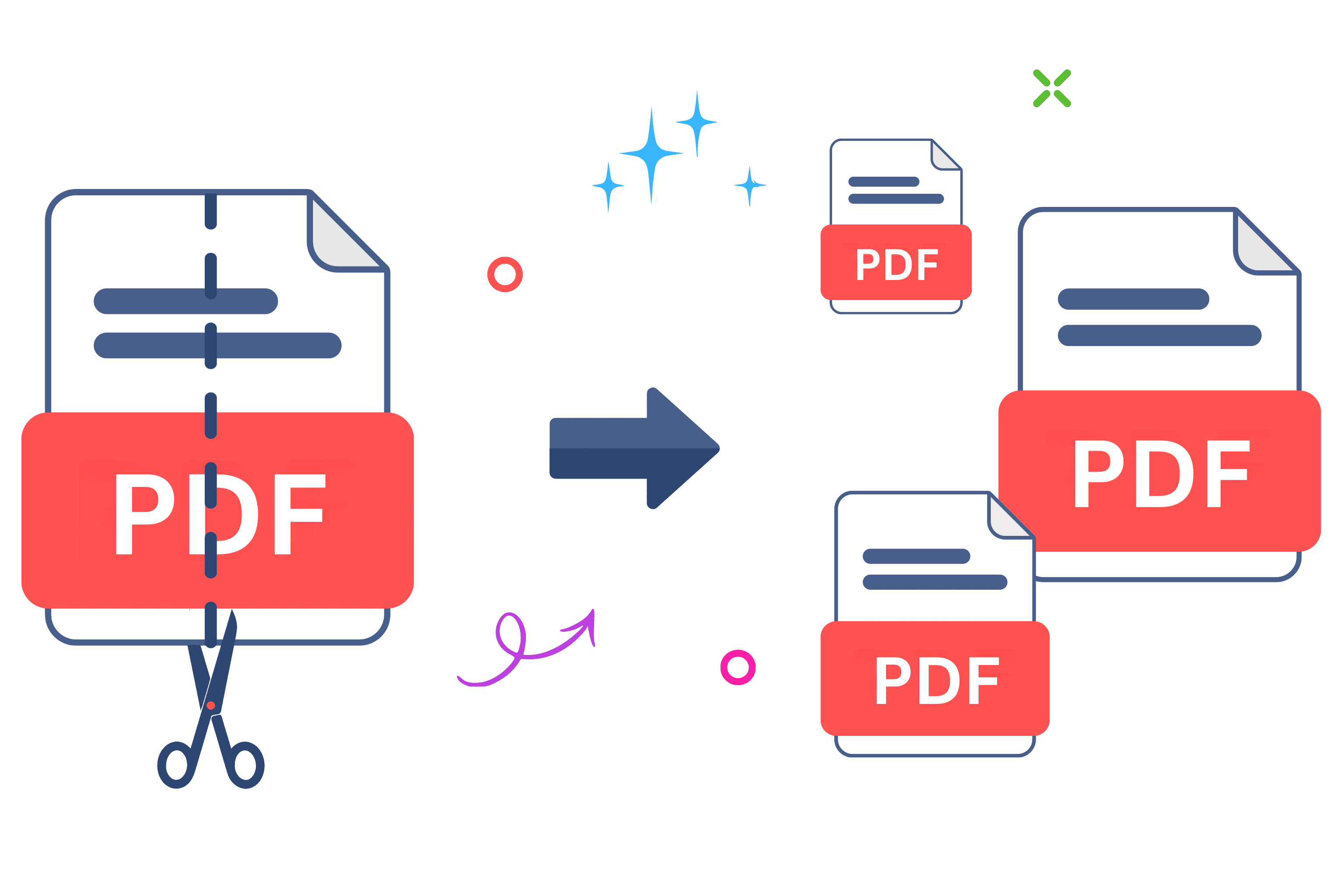
How to Split a Large PDF into Smaller Files (Without Losing Quality)
Ever stared at a massive 500-page document, wondering how you're going to pull out just the three pages you actually need? You're definitely not alone. Figuring out how to split PDF files is one of those annoying digital chores that everyone eventually has to tackle. But honestly, it shouldn't be a headache. And unlike tools that upload your files to their servers, Allypdf processes everything right in your browser. Yep. No sketchy cloud uploads, and absolutely no waiting around.
When you split PDF documents with our tool, your data stays exactly where it belongs—on your own device. Look, dealing with digital paperwork is boring enough without worrying about who's peeking at your private information or hitting an unexpected paywall. Let's walk through everything you need to know.
What Does It Mean to Split PDF Files?
Basically, when you split PDF files, you're taking one large, cumbersome digital document and breaking it down into smaller, bite-sized pieces. It's how you extract a single chapter from a massive ebook, or separate one specific invoice from a heavy end-of-month financial report.
Think of it like unbinding a physical notebook, pulling out the exact pages you want to keep, and sliding them into a brand new folder—all without tearing or ruining the original pages. You can split PDF documents by specific numerical ranges, or just extract every single page into its own individual file. So, who actually uses this? Pretty much everyone. Here are a few ways people use this tool in the real world:
- Students: Extracting just the required three chapters of a massive 500-page digital textbook so you aren't scrolling endlessly during late-night study sessions. Plus, our extraction preserves OCR layers, so your text remains fully searchable.
- Freelancers: Pulling out a single non-disclosure agreement from a massive client onboarding packet to sign and return quickly.
- Small businesses: Separating individual employee W-2 forms from a giant master batch file generated by your payroll software.
- Legal professionals: Isolating specific case exhibits from a massive court filing. Since our tool guarantees PDF/A compliance preservation, court-mandated formatting and embedded digital structures stay perfectly intact.
- Job seekers: Slicing out a tailored, one-page resume from a master document that contains your entire ten-page work history and design portfolio.
- Real estate agents: Breaking down a 150-page property disclosure packet so nervous buyers only see the specific inspection report they actually requested.
- Healthcare providers: Extracting a single patient's lab results from a daily clinic batch file. Because the file never actually leaves your computer, HIPAA-sensitive medical records stay completely private.
Honestly, once you learn how to split PDF files instantly, you'll wonder how you ever managed your digital paperwork without it.
Why Use an Online PDF Splitter Instead of Software?
You might be wondering—why shouldn't you just download a bulky desktop program to split PDF documents? The truth is, using a modern browser-based tool to split PDF files is just... easier, faster, and way less annoying. Here is exactly why making the switch makes sense:
- Start immediately: No downloads, no installation wizards, no waiting around. Just open your favorite browser and split PDF files in seconds. You get straight to work.
- Keep storage clean: Desktop software packages eat up precious gigabytes of space on your hard drive. Browser tools like Allypdf? They leave a zero-server footprint and take up absolutely zero local storage.
- Work anywhere: Coffee shop, office desk, or your living room couch—if you've got a stable internet connection and a browser, you can split PDF documents from literally anywhere.
- Auto-updates: No annoying "Update available—please restart" pop-ups ruining your morning workflow. The tool's always current with the latest features without you lifting a single finger.
- Universal compatibility: Works flawlessly on Windows, Mac, Linux, Chromebook, iPhone, and Android. If your device runs a modern browser, you can seamlessly split PDF files without ever worrying about operating system requirements.
- Privacy and security: Here's the big one. Allypdf processes files directly in your browser using client-side technology—your PDFs never touch our servers. That's fundamentally different from tools like iLovePDF or Smallpdf, which force you to upload your sensitive files to their remote systems. Your data stays locked on your device. Period.
Basically, skipping the legacy software route and opting for device-only processing gives you a totally zero-friction experience. You aren't handing over your email address or credit card just to perform a basic administrative task. No waiting, no tracking, just instant results.
How to Split PDF Files with Allypdf (Step-by-Step)
Allypdf makes this process pretty painless. We're talking three simple steps, maybe two minutes tops. No account creation, no email verification, no "upgrade to continue" walls. It's designed to just work, right when you need it most.
If you have an incredibly large document, you might want to check out our PDF compression tool before you begin, but honestly? You usually don't have to worry about that. To quickly split PDF pages, you're already exactly where you need to be. Let's look at exactly how to split PDF documents right now without breaking a sweat.
Step 1: Upload Your PDF Files
Getting started is incredibly straightforward. You can pull documents straight from your local hard drive, drag them from your desktop, or even select them directly from your mobile device. To begin, just drop the document you want to split PDF pages from directly into the upload area above.
But here is the crucial difference. When you upload to Allypdf, you're not actually sending files to a remote server. The tool simply loads them into your browser's local memory—think of it like opening a document in Microsoft Word on your desktop, except it's happening in your web browser. The file never leaves your computer. Pro tip: If your files aren't in the right format yet, you can use our PDF converter tools first, then come back to split PDF files instantly.
Step 2: Select Pages and Adjust Settings
Once the file loads into your browser window, you'll see a clean, visual preview of every single page. No more guessing which page is which. You can point, click, and select the exact ranges you need. Take a second to get this right because nobody wants to redo it, even when the process to split PDF pages takes just seconds.
Here is something most people don't realize: our browser-based processing maintains your document's original underlying code structure. The visual preview maintains your original formatting—including embedded fonts, interactive form fields, and complex vector graphics—so what you see is exactly what you'll get in the final export. You can confidently split PDF documents knowing you won't ruin the formatting or lose critical data.
Step 3: Split and Download Your Extracted Files
Got your pages selected? Great. Now just hit the extraction button. Because everything happens via client-side processing, there's absolutely no upload time, no queuing behind other users, and no annoying "processing on our servers" delay. Hit the button to split PDF pages, and it's done immediately.
Your new files will instantly download directly to your default folder. And don't worry about the file you started with; your original documents stay completely unchanged on your hard drive. It's really that simple to securely split PDF documents without any of the usual digital friction.
Is It Safe to Split PDF Files Online with Allypdf?
This is probably the question on everyone's mind, and honestly, it's a smart thing to worry about. Most online PDF tools—iLovePDF, Smallpdf, even Adobe's online services—work by uploading your files to their remote servers. That means your documents pass through their systems, get processed on their machines, and then get sent back to you. Allypdf works differently when you need to split PDF files.
Allypdf uses client-side JavaScript processing with modern browser technology. That means when you split PDF files with Allypdf, everything happens right in your browser tab. The file literally never leaves your device. No upload. No server storage. No cloud transfer. Your data stays on your machine—period.
- Zero-server footprint: Allypdf doesn't store, log, or even see your files. The technology architecture makes server storage impossible—there's nothing to upload to. This gives you end-to-end privacy that competitors simply can't match.
- No account required: Unlike tools that collect your email, create profiles, and track your usage, Allypdf requires zero personal information. No sign-up, no tracking cookies, no behavioral data collection.
- GDPR and CCPA compliant by design: Because your files never leave your device, Allypdf inherently meets the strictest global privacy standards—Europe's GDPR and California's CCPA. You're not trusting a company's privacy policy; you're using technology that makes data collection impossible.
- Suitable for confidential documents: Tax returns, legal contracts, medical records, NDAs—if you wouldn't email it unencrypted, you can still split PDF documents securely with Allypdf. Device-only processing means even we can't access your files.
Learn more about how Allypdf protects your privacy. For organizations with strict compliance requirements, Allypdf's zero cloud upload architecture means sensitive files never cross security boundaries.
Key Benefits of Allypdf's Split PDF Tool
What actually makes this tool worth using? Let's break it down.
- Completely free: No hidden costs, no "upgrade to Pro" upsells, no feature limits. You can split PDF files without opening your wallet.
- No sign-up required: Competitors make you create accounts to "unlock" basic features. Allypdf? Just use it. No email, no password, no verification codes.
- Works on everything: Windows, Mac, Linux, Chromebook, iPhone, Android—if it runs a modern browser, you can split PDF documents seamlessly.
- Unlimited usage: There are no "3 files per hour" restrictions like you'll find on iLovePDF or Sejda. Process 5 files, 50 files, or 500 files—it makes no difference to us.
- Instant processing: Because there's no upload/download cycle, our latency-free execution means you get results immediately. Your browser does the heavy lifting at full speed.
- No watermarks: Your output files are perfectly clean. There is no "Created with Allypdf" branding, and no "Upgrade to remove this message" stamps ruining your professional documents.
- Quality preserved: You can split PDF files without losing resolution, margins, or formatting. The browser-based processing maintains everything—even embedded fonts and interactive form fields.
- Batch processing capability: Need to extract pages from several different documents? Upload multiple files at once. Competitors often lock this basic workflow behind expensive paywalls; Allypdf includes it completely free.
If you ever need to go the opposite direction and combine separate files into one, check out Allypdf's merge tool—it uses the exact same privacy-first, browser-based approach.
When Should You Split PDF Documents?
Knowing exactly when to extract pages can actually streamline your workflow more than you'd think. Here are a few times separating your documents is the smartest move:
- Before client presentations: Instead of emailing an overwhelming 80-page master deck, split PDF files to extract just the relevant pricing tiers for that specific client. It looks more professional, and it's much easier for clients to review.
- Tax season preparation: Pull your W-2s and 1099s out of a massive year-end financial scan before sending it to your accountant. This is especially important when using Allypdf—your financial documents never get uploaded to a third-party server.
- Job applications: Slicing a targeted, one-page resume out of a giant 20-page master design portfolio makes it infinitely easier for hiring managers to quickly review your application.
- School projects: Extracting just the assignment rubric or specific data tables from a massive 50-page course syllabus. Bonus: our extraction maintains PDF/A compliance if your academic institution requires it.
- Legal document filing: Courts often have strict electronic filing size limits. You can split PDF exhibits and briefs into acceptable chunks while keeping sensitive legal materials securely on your own device.
- Real estate transactions: Pulling property disclosures and specific inspection reports out of a 500-page closing packet so nervous buyers don't get entirely overwhelmed by the paperwork.
- Medical records compilation: When switching doctors or getting second opinions, extract only the relevant imaging or lab results. Device-only processing means HIPAA-sensitive records stay completely private.
Basically, anytime you're sharing a massive document with someone, ask yourself if extracting just the relevant pages first would make their life easier. Usually, yes.
Common Mistakes to Avoid When You Split PDF Files
Even when the tool's incredibly simple, people still mess things up sometimes. Here's what to watch out for before you finalize your documents.
- Wrong settings: Triple-check your page sequence before hitting the button to split PDF files. Fixing it later is annoying.
- Duplicate pages: Accidentally extracting the same page twice creates weird repetition. Scan your preview first.
- Forgetting pages: Ensure you aren't accidentally cutting off critical conclusion paragraphs.
- Skipping review: Actually open your downloaded file before emailing it to your boss or client.
- Generic filenames: Don't leave your output named "split-output.pdf". Your future self will thank you for being descriptive.
- Mixed orientations: Allypdf preserves original portrait and landscape layouts automatically—make sure that's what you want.
- Ignoring file size: Extracting dozens of high-res pages creates massive files. You might need our compression tool afterward.
- Copyrights: Browser-based privacy keeps things secure, but it doesn't make unauthorized copying of licensed materials legal.
Frequently Asked Questions About Split PDF Tools
Can I Split PDF Files for Free?
Yep. Allypdf is completely free. You can split PDF files all day without hitting "upgrade to Pro" walls, unlike iLovePDF or Smallpdf which restrict free users heavily.
Is There a File Size Limit to Split PDF Documents?
The only limit is your device's power. Because we use browser-based processing, there's no arbitrary server-side upload restriction when you split PDF documents.
Are My Files Stored When I Split PDF Online?
No. Allypdf's client-side architecture means files never get uploaded. When you split PDF files, JavaScript processing happens locally. Close the tab, and everything's gone.
Does the Tool Work on Mobile Devices?
Absolutely. You can split PDF files from any iPhone or Android since browser-based processing works seamlessly on mobile screens.
Can I Split PDF Files That Are Password-Protected?
If you know the password, yes. You just unlock the document first, and then split PDF pages normally.
What Happens to Original Files When I Split PDF Documents?
Nothing. When you split PDF files with our tool, it creates a brand new document. Your originals remain entirely unchanged on your drive.
Can I Split PDFs in a Specific Range?
Yes. When you split PDF documents, you easily select custom page ranges or extract every single page individually.
Will Splitting Affect PDF Quality or Formatting?
Nope. The browser-based processing preserves everything—resolution, embedded fonts, and bookmarks. When you split PDF files here, the output quality is identical to the original.
Handling documents shouldn't be risky. Allypdf's free tool handles it right in your browser using client-side processing technology. No software installations, no account creation, and most importantly, no uploading your files to someone else's servers. When you split PDF files here, your documents stay on your device. Period.
Whether you're organizing client invoices, school projects, or job applications, you can split PDF files instantly from any device. No "create account to continue" interruptions. No "upgrade to Pro" walls. No "verify your email" delays. Just upload, split PDF pages, and download. Done.
Stop taking risks by uploading your private data to traditional cloud-based tools that rely on remote server storage. Allypdf's browser-based approach is technically superior and privacy-first. Start to split PDF documents with Allypdf right now—it's completely free and private by design. Your files literally never leave your device. Ready to get organized without compromising your privacy? Try our tool now and see why thousands chose the zero-server footprint alternative. Securely split PDF files today—the way it should be.
Tags: PDF splitter, divide PDF files, extract PDF pages, free PDF tools, online PDF page extractor, secure PDF splitter tool, separate PDF pages online, split PDF, split PDF by range, split PDF for free