How to Remove White Margins from a PDF Before Printing
Crop PDF pages instantly and securely right in your browser. Allypdf is a 100% free, private, and frictionless tool for trimming margins and resizing documents—no account, no watermarks, and no server uploads required.
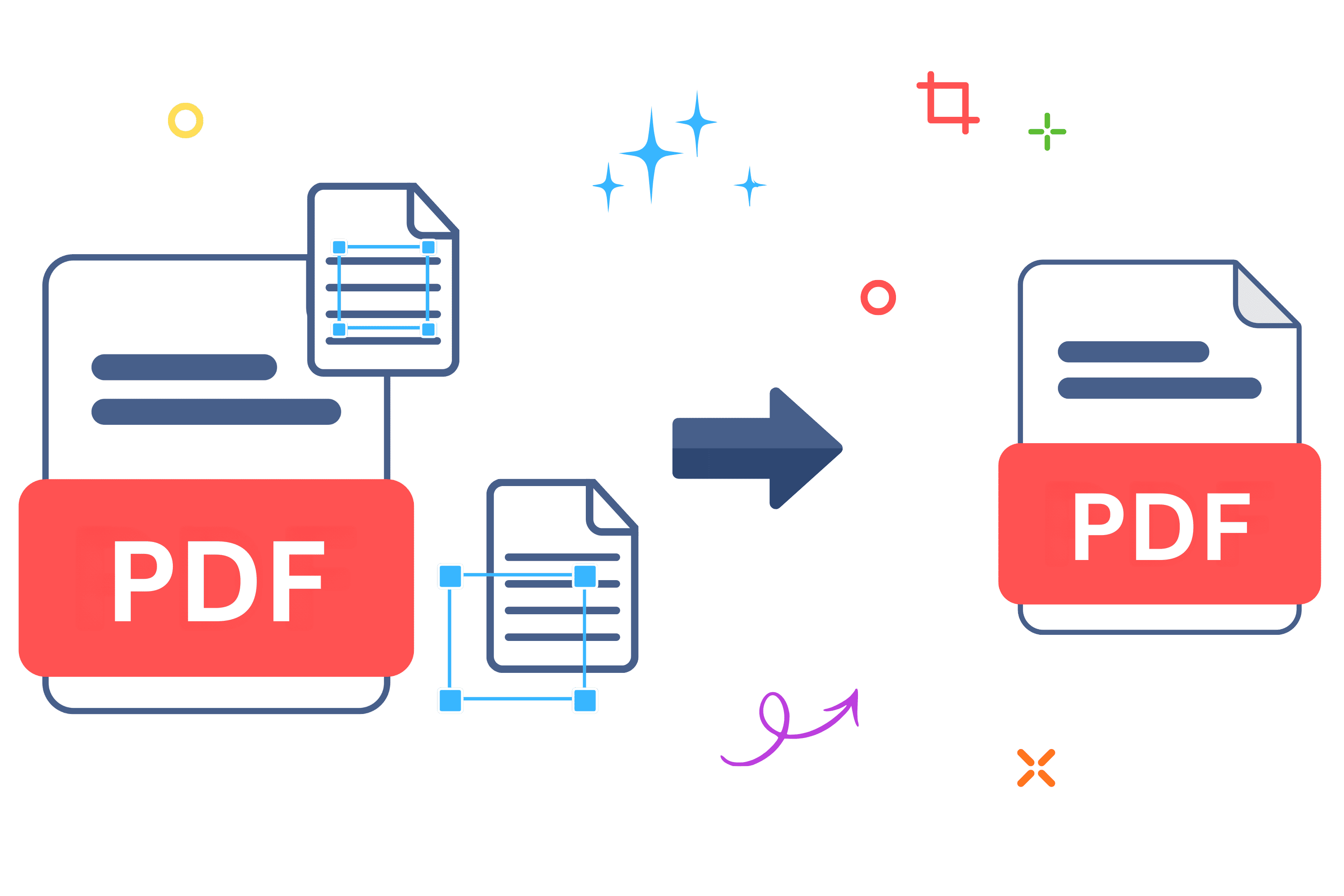
How to Remove White Margins from a PDF Before Printing
Ever downloaded a shipping label or a scanned contract, only to find the actual text swimming in an ocean of useless white space? It's incredibly frustrating when you just need to print a specific section, but those massive margins throw your whole formatting off. Look, honestly, figuring out how to crop PDF files shouldn't require a master's degree in software engineering or an expensive monthly subscription. You just want to trim those borders, isolate the important data, and move on with your busy day.
That's exactly where we come in. You can crop PDF pages instantly with Allypdf. And unlike tools that upload your files to their servers, Allypdf processes everything right in your browser using client-side JavaScript processing. This means your sensitive data literally never leaves your device. No risky cloud uploads. No waiting in a server queue. Let's walk through everything you need to know.
What Does It Mean to Crop PDF Files?
At its core, when you crop PDF documents, you aren't actually deleting the original pixel data. You're just mathematically redefining the visible area—the bounding box—so that only the content you actually want is displayed on the screen or printed on the page. Think of it like taking a custom cardboard mat and placing it over a larger photograph; the rest of the picture is still safely hidden behind the matting, but you only see the perfectly framed subject in the center.
When you use a browser-based tool to crop PDF margins, you instantly make your files look dramatically cleaner and infinitely easier to read on mobile screens. People across countless different industries rely on this exact utility to fix clunky formatting and streamline their daily paperwork. Here is how different people use this tool to solve everyday problems:
- Students: You've got a massive 500-page digital textbook, but the scanned pages have huge, distracting black borders. You can trim it down to just the text block so it actually fits on your tablet screen without constant zooming.
- Freelancers: A client sends over a giant brand guideline document, but you just need the specific logo placement rules on page twelve. Trim away the useless white space—it's just... easier.
- Small businesses: If you run an e-commerce shop, you definitely know the pain of downloading an A4 sheet that only contains a tiny 4x6 label in the corner. You need to crop shipping labels so they hit the thermal printer perfectly without wasting expensive sticker paper.
- Legal professionals: You need to extract a single exhibit from a massive court filing. A proper tool handles this while preserving hidden OCR layers so the text remains completely searchable, and maintains PDF/A compliance preservation for strict archival integrity.
- Job seekers: You finally got your resume and portfolio looking perfect, but your export software left weird, uneven margins. Trim them out so hiring managers see your work exactly as intended. Just clean lines.
- Real estate agents: You receive a massive property inspection report, but your buyers honestly only care about the specific photos of the roof damage on page 42. Isolate that exact section before forwarding it over to them.
- Healthcare providers: A clinic sends over a patient's medical history, and half the page is just the fax transmission header. You need to trim that away before saving it locally—and because Allypdf uses client-side technology, that highly sensitive health data stays completely private.
Basically, anytime you crop PDF files, you're taking back control of your digital workspace.
Why Use an Online PDF Cropper Instead of Software?
Why bother using an online platform to crop PDF documents when you could just download a traditional desktop application? Honestly, downloading gigabytes of heavy, resource-draining software just to crop PDF pages is like buying a whole cow when you only want a burger. Online tools—they just work better. Let's look at the main reasons people are ditching legacy apps for browser-based solutions:
- Start immediately: No downloads, no complicated installation wizards, no waiting around. Just open your browser and crop PDF files in seconds. You're ready to get to work before a desktop application even finishes loading its opening splash screen.
- Keep storage clean: Traditional software packages eat up gigabytes of your hard drive. Browser tools like Allypdf leave a zero-server footprint and take up absolutely zero space on your computer. You get all the premium utility without sacrificing your local storage.
- Work anywhere: Coffee shop, office, or working from home—if you've got a web browser, you can crop PDF documents. It's truly portable productivity that travels with you.
- Auto-updates: There are no annoying "Update available" pop-ups interrupting your workflow. The tool's always current without you lifting a finger, ensuring you always have the best version instantly.
- Universal compatibility: Works flawlessly on Windows, Mac, Linux, Chromebook, iPhone, and Android. If your device runs a modern browser, you can crop PDF files seamlessly. And because it runs locally, it sets up our most important feature perfectly.
- Privacy and security: Here's the big one. Allypdf processes files directly in your browser using client-side technology—your PDFs never touch our servers. That's fundamentally different from tools like iLovePDF or Smallpdf, which force you to upload your proprietary files to their cloud systems. Your data stays on your device, utilizing device-only processing. Period.
Basically, you're getting a completely zero-friction, highly secure solution that doesn't hold your workflow hostage with unnecessary hoops to jump through.
How to Crop PDF Files with Allypdf (Step-by-Step)
Allypdf makes this process pretty painless. Three steps, maybe two minutes tops. No account creation, no email verification, no "upgrade to continue" walls. When you need to crop PDF pages, you just want to get in, make the precise edit, and get out. Let's look at exactly how to crop PDF documents without any of the usual digital headaches. And hey, if you realize your file is actually an image and not a document yet, you can always use our JPG to PDF converter first before starting this process.
Step 1: Upload Your PDF Files
Whether you're pulling a file straight from your computer's hard drive, grabbing it from cloud storage, or selecting it right off your mobile phone, getting started is completely frictionless. Just drag and drop your document into the main work area to crop PDF pages instantly. There are no limits on file size, so even massive textbooks load in a flash.
Now, here's the crucial difference. When you upload to Allypdf, you're not actually sending files to a server. The tool loads them into your browser's memory—think of it like opening a document in Word, except it never leaves your computer. And a quick pro tip: if your files aren't in PDF format yet, you can use Allypdf's converter tools first before bringing them here to crop PDF margins.
Step 2: Adjust Settings and Select the Crop Area
Once your document is loaded, you'll see a clean, visual preview of your pages. Simply click and drag the interactive bounding box over the exact area you want to keep. This drag-and-drop interface makes it incredibly easy to crop PDF elements exactly how you want them, whether it's a tiny e-commerce shipping label or a specific block of legal text. Take a second to get this right because nobody wants to redo it!
You might be wondering about quality loss, but our rendering engine handles the heavy lifting locally. The preview maintains your original formatting perfectly—including embedded fonts, interactive form fields, and digital signatures—so what you see is exactly what you'll get. When you crop PDF boundaries using our tool, your document's structural integrity remains flawless.
Step 3: Crop and Download Your Clean File
You've selected your margins, so now it's time to finalize the document. Because everything happens via local browser-based processing, there's no upload time, no queue, and absolutely no "processing on our servers" delay. Just hit the button to crop PDF files and it's done immediately.
Your new, perfectly trimmed document will instantly save directly to your device. And don't worry about losing anything important—your original files stay completely unchanged in their original folder. You can safely crop PDF documents knowing your source material is perfectly preserved and entirely private.
[Image alt text: Step-by-step screenshot showing how to crop PDF files online with Allypdf's browser-based interface—no server upload required]
Is It Safe to Crop PDF Files Online with Allypdf?
This is probably the question on everyone's mind, and honestly, it's a smart thing to worry about. Most online platforms you use to crop PDF files—iLovePDF, Smallpdf, even Adobe's online services—work by uploading your files directly to their servers. That means your documents pass through their systems, get processed on their machines, and then get sent back to you when you crop PDF documents. Allypdf works differently.
Allypdf uses client-side JavaScript processing with modern browser technology. That means when you crop PDF files with Allypdf, everything happens right in your browser tab. The file literally never leaves your device. No upload. No server storage. No cloud transfer. Your data stays on your machine—period.
- Zero-server footprint: Allypdf doesn't store, log, or even see your files. The technology architecture makes server storage completely impossible—there's simply nothing to upload to. This gives you absolute end-to-end privacy that legacy competitors honestly can't match.
- No account required: Unlike tools that collect your email, create marketing profiles, and track your usage, Allypdf requires zero personal information. No sign-up, no tracking cookies, and no behavioral data collection.
- GDPR and CCPA compliant by design: Because your files never leave your device, Allypdf inherently meets the strictest global privacy standards—including Europe's GDPR and California's CCPA. You're not just blindly trusting a company's privacy policy; you're using technology that makes data collection physically impossible.
- Suitable for confidential documents: Tax returns, legal contracts, medical records, NDAs—if you wouldn't email it unencrypted, you can safely crop PDF pages here. Our device-only processing means even our own developers can't access your files.
Learn more about how Allypdf protects your privacy. For enterprise organizations with strict compliance requirements, Allypdf's zero cloud upload architecture means sensitive files never cross your internal security boundaries.
Key Benefits of Allypdf's PDF Cropper
What actually makes this tool worth using? Let's break it down.
- Completely free: No hidden costs, no "upgrade to Pro" upsells, and no feature limits. You can crop PDF files without ever opening your wallet.
- No sign-up required: Competitors make you create accounts just to "unlock" basic features. Allypdf? Just use it. No email, no password, no verification codes slowing you down.
- Works on everything: Windows, Mac, Linux, Chromebook, iPhone, or Android—if it runs a modern browser, you can easily crop PDF documents.
- Unlimited usage: There are no "3 files per hour" restrictions like you'll find on iLovePDF or Smallpdf. Process 5 files, 50 files, or 500 files—it makes no difference to us.
- Instant processing: Because there's no upload/download cycle, our latency-free execution means you get results immediately. Your browser does all the heavy lifting at full speed.
- No watermarks: Your output files are absolutely clean. There's no annoying "Created with Allypdf" branding slapped across your pages, and no "Upgrade to remove this message" stamps. Just clean documents.
- Quality preserved: You can crop PDF files without losing your crisp resolution, custom fonts, or original formatting. Here is a little-known fact: the browser-based processing maintains everything perfectly—even hidden embedded fonts and interactive form fields.
- Batch processing capability: Need to upload multiple files at once? Go for it. Competitors almost always lock batch processing behind their premium paywalls, but Allypdf includes it completely free.
And hey, if you ever need to go the exact opposite direction and split a massive document into separate files, check out Allypdf's split tool—it uses the exact same privacy-first, browser-based approach.
When Should You Crop PDF Documents?
Knowing exactly when to crop PDF pages can honestly streamline your daily workflow a lot more than you'd think. It's not just about making things look pretty.
- Before client presentations: Instead of sending over a slide deck with weird white borders from a bad export, crop PDF margins to make the final document look polished and professional before the big meeting.
- Tax season preparation: When you're gathering W-2s, 1099s, and scanned bank statements, trim out the scanner shadows for your accountant. And since you're using Allypdf to crop PDF files, your sensitive financial documents never get uploaded to a third-party server.
- Job applications: Got a portfolio with inconsistent page sizes? Trim them down to a uniform layout. It just looks better to a hiring manager.
- School projects: Trimming research papers, scanned citations, and visual appendices makes your submission look incredibly clean. Bonus: our local rendering engine maintains PDF/A compliance if your university requires strict archival formats.
- Legal document filing: Courts usually have strict formatting rules for exhibits and briefs. You can trim those supporting documents while keeping highly sensitive legal materials entirely secure on your own device.
- Real estate transactions: Property disclosures and inspection reports are notoriously messy. Isolate the exact clauses or photos your client needs to see so they don't get overwhelmed.
- Medical records compilation: When you're switching doctors and sending over lab results, you often want to cut out irrelevant fax headers. Because we use device-only processing, your HIPAA-sensitive medical records stay completely private.
Basically, anytime you're dealing with messy digital paperwork, ask yourself if a quick trim would make the reader's life easier. Usually, yep.
Common Mistakes to Avoid When You Crop PDF Files
Even when the tool's incredibly simple, people still mess things up sometimes. Here's what you should watch out for before you finalize your document.
- Wrong settings: Triple-check the visual preview before you crop PDF pages to avoid annoying redo headaches.
- Duplicate uploads: Quickly scan your list to avoid repetitive outputs.
- Forgetting pages: Verify you aren't accidentally cutting off bottom content when you crop PDF batches of varying lengths.
- Skipping final review: Always actually open your new file before emailing it to your boss.
- Generic filenames: Please don't leave your output named "output.pdf"—be descriptive!
- Mixed orientations: Check how your portrait and landscape pages align.
- Ignoring file size: If your high-resolution output is massive, run it through Allypdf's compression tool afterward.
- Rights issues: Local processing keeps things perfectly private, but ensure you actually have permission to modify copyrighted documents.
Frequently Asked Questions
Can I crop PDF files for free?
Yep. You can crop PDF files endlessly without paying. Unlike iLovePDF and Smallpdf which harshly restrict free users, Allypdf has absolutely zero caps.
Is there a file size limit to crop PDF documents?
Nope. Because we use browser-based processing, your own hardware handles the heavy lifting when you crop PDF pages. There are no arbitrary server-side restrictions.
Are my files stored when I crop PDF online?
Never. Allypdf's client-side architecture means files never get uploaded. When you crop PDF files, our JavaScript processing happens entirely in your active tab. The file literally never leaves your device.
Does the tool work on mobile devices?
Absolutely. You can crop PDF documents effortlessly from any iPhone or Android browser.
Can I crop PDF files that are password-protected?
If you know the password to unlock them first, yes. Otherwise, you can't securely crop PDF files.
What happens to original files when I crop PDF documents?
Nothing. When you crop PDF files, we generate a brand new copy. Your originals stay completely untouched.
Can I crop PDFs with specific visual parameters?
Yes. You control the exact visual boundaries using our drag-and-drop preview before you crop PDF pages.
Will cropping affect PDF quality or formatting?
No. The browser-based processing perfectly preserves your resolution and embedded fonts. When you crop PDF files here, the output quality is identical.
Honestly, you don't need to rely on cloud-based tools that force you to upload your sensitive documents to remote servers. Allypdf's browser-based approach is technically superior. Start to crop PDF documents with Allypdf right now. It's private by design using client-side processing technology. No "upgrade to Pro" walls. Just upload, crop PDF pages, and download. Your files literally never leave your device. Choose the zero-server footprint alternative and crop PDF files securely today.
Tags: Crop PDF, PDF white space remover, batch crop PDF, client-side PDF tool, crop shipping labels, free PDF cropper, online PDF trimmer, resize PDF pages, secure PDF editor, trim PDF margins, zero-server PDF